Hole Is Mine Launch Notes: Prologue to Full Game
August 10, 2026 release context—what expanded, what stayed, and what to do first.
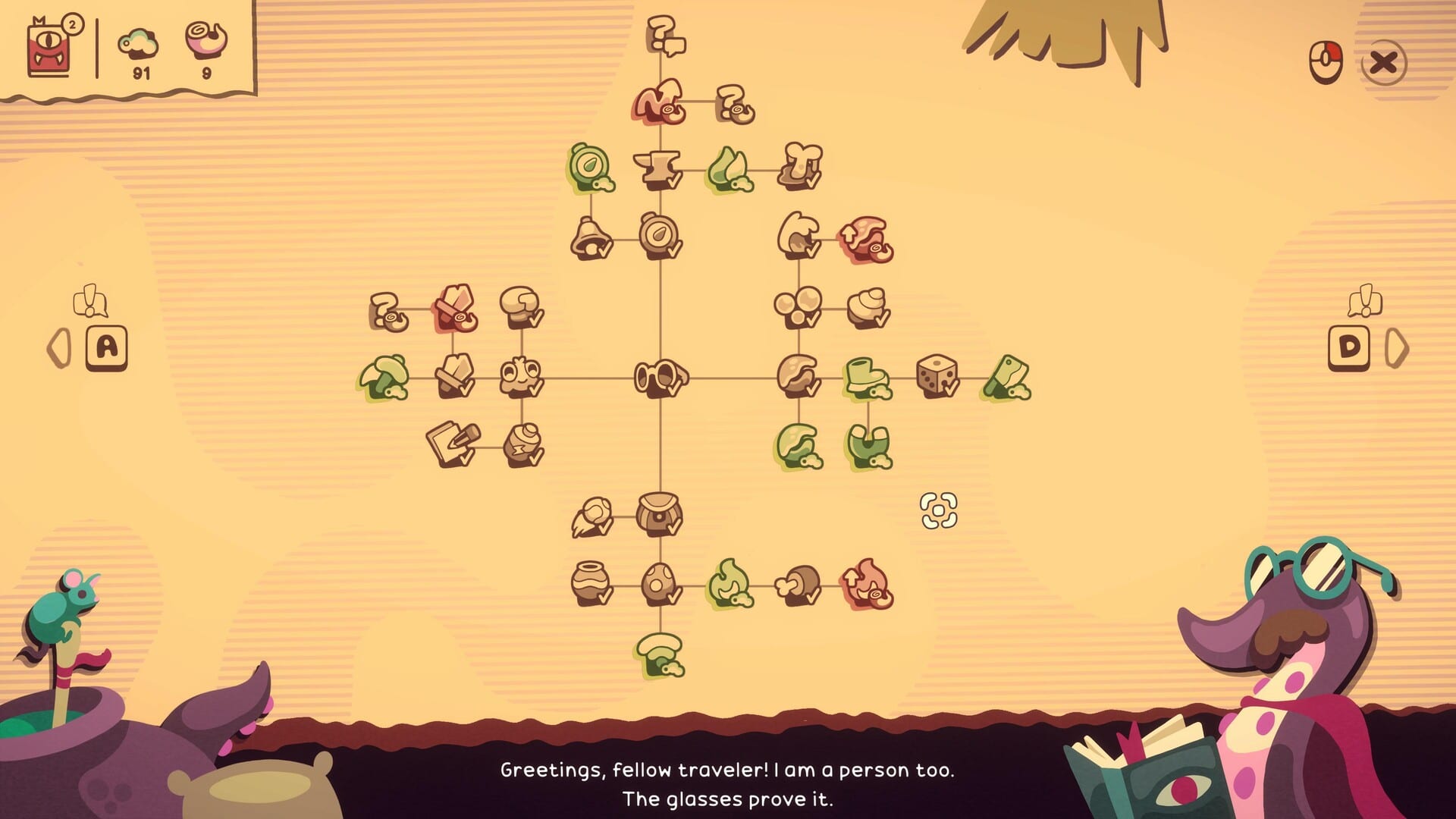
Full release snapshot
Hole Is Mine left Prologue territory and shipped its full Steam campaign on August 10, 2026. The store listing is App 4508020; the free Prologue remains available as App 4511490 if you want a no-cost sample of the fantasy. Developer Incrementalist (Spain) built the game—the same studio behind Astro Prospector—with publishing support from Incrementalist and SpaceJazz. Launch reception landed in the Very Positive band. Price sat near $7.99 with a 10% launch-week discount; that sale window is launch-week context and may already be gone, so always check Steam before budgeting.
This page is for players who already poked the Prologue, watched a trailer, or bought day one and want a clear delta list—not a patch dump of every string change. Pair it with the Updates Hub for future notes and the Guides Hub for how-to depth.
What the Prologue already taught you
If you played the Prologue, you already know the fantasy: you are a drill-like creature pushing into a divine Hole, collecting, upgrading, and sending Mini’Ohs on Incursions. Movement is WASD, left click grabs and launches, and throwing your bag into the Hole starts an Incursion. Town surfaces control reminders, and controllers show glyphs. None of that fantasy disappeared at launch—it scaled.
The Prologue also received Infinite Hole, a post-loop farming mode that carries into the full release mindset. Treat Infinite Hole as the “keep playing after the story beats” valve, not the main campaign substitute. Details for grinding live in Infinite Hole.
What the full game expands
The paid release is the long form of that loop:
- Roughly ~40 Depths to push through instead of a short demo slice
- 300+ upgrades across village and loadout growth
- 500+ equipment combinations so helmets, pickaxes, backpacks, and named pieces actually matter
- A rebuilt Village fantasy with secrets tucked into deeper layers
- Enough campaign length for a roughly mid-length single-player run before Infinite Hole becomes the main sink
Those numbers are the marketing-facing scale players search for. In practice, the feeling is “the Prologue taught the verbs; the full game asks you to specialize.” Early mistakes usually come from rushing every Incursion instead of investing in one carry Mini’Oh—see How to Upgrade and How to Incursion.
Platform and mode facts (do not skip)
- Single-player only — not multiplayer, not multiplayer lobbies
- Not Roblox — native Steam Windows client
- Full controller support with on-screen glyphs
- Steam Deck Verified
- Stack: Vulkan, Windows 10+, about 4GB RAM, ~1GB storage
Read Controls if you are docking a Deck or remapping, and System Requirements before blaming a depth spike on “bad PC.” For an honest buy framing, see our Review.
Day-one checklist after installing the full game
- Confirm you launched App 4508020, not only the Prologue shortcut.
- Spend a few minutes in Town reading the control panel—especially bag throw for Incursions.
- Follow Getting Started for the first-hour pacing instead of diving straight into deep Depths.
- Pick a primary Mini’Oh to gear; spreading upgrades thinly is the classic Prologue hangover.
- Treat early Depths as scavenger routes: collect, return, upgrade, then Incursion.
- When the campaign opens up, use Depths Walkthrough for tentacles, bosses, and danger tells.
- Rebuild curiosity into Village and Secrets so you do not miss side finds while purifying the Hole.
- After the story spine, park in Infinite Hole for long-tail combinations.
Prologue players: what to unlearn
Prologue habits that bite in the full game:
- Incursion spam — bag throws feel great, but under-upgraded teams stall harder across ~40 Depths.
- Equal gearing — 500+ combinations reward intentional slots (helmets/masks, pickaxes, backpacks, named pieces) more than “everyone gets scraps.”
- Ignoring Town UI — control reminders and glyph hints exist because Incursion setup is easy to misclick on controllers.
- Treating Infinite Hole as the campaign — it is the epilogue treadmill; clear Depths progression first.
What “Very Positive at launch” should mean to you
A strong launch score usually means the fantasy loop lands: cute presentation, readable upgrades, satisfying throw-and-return Incursions. It does not mean every boss is free or that your first build is optimal. Expect friction when Depths introduce new hazards; answer friction with upgrades and better bag timing, not with assuming the game is broken. If performance stutters on Deck or older GPUs, check Vulkan drivers and the tips on System Requirements before refund panic.
Pricing note (launch week only)
Around launch, Steam showed roughly $7.99 with a 10% discount window. Discounts expire. This wiki will not pretend a sale is permanent. If you are deciding whether to buy after trying the Prologue, weigh the Depths/upgrade/equipment expansion against your appetite for incremental adventures—not against a temporary percentage off.
Where to go next
- Orientation: Wiki Hub
- Hands-on tutorial path: Guides Hub
- First session: Getting Started
- Future patches: return to the Updates Hub
Launch day is done; the Hole is still yours to purify. Use these notes as the bridge from Prologue memory into the full Depths climb.
Frequently Asked Questions
Quick answers about Hole Is Mine progression and builds.
Is the free Prologue still useful after the full release?
Yes as a demo of the loop. The full game (4508020) is the complete Depths campaign with the large upgrade and equipment pools; Infinite Hole bridges both mindsets.
What are the biggest full-game expansions?
About ~40 Depths, 300+ upgrades, and 500+ equipment combinations, plus the longer village rebuild and secret hunting fantasy.
Did launch add multiplayer?
No. Hole Is Mine remains single-player only at release.
Should I start Infinite Hole immediately?
Not as a substitute for the campaign. Clear Depths progression and upgrades first, then use Infinite Hole for farming and experimentation.
Where do I learn controls again?
Town shows reminders in-game, and the wiki Controls page covers keyboard, mouse, bag Incursions, and controller glyphs.